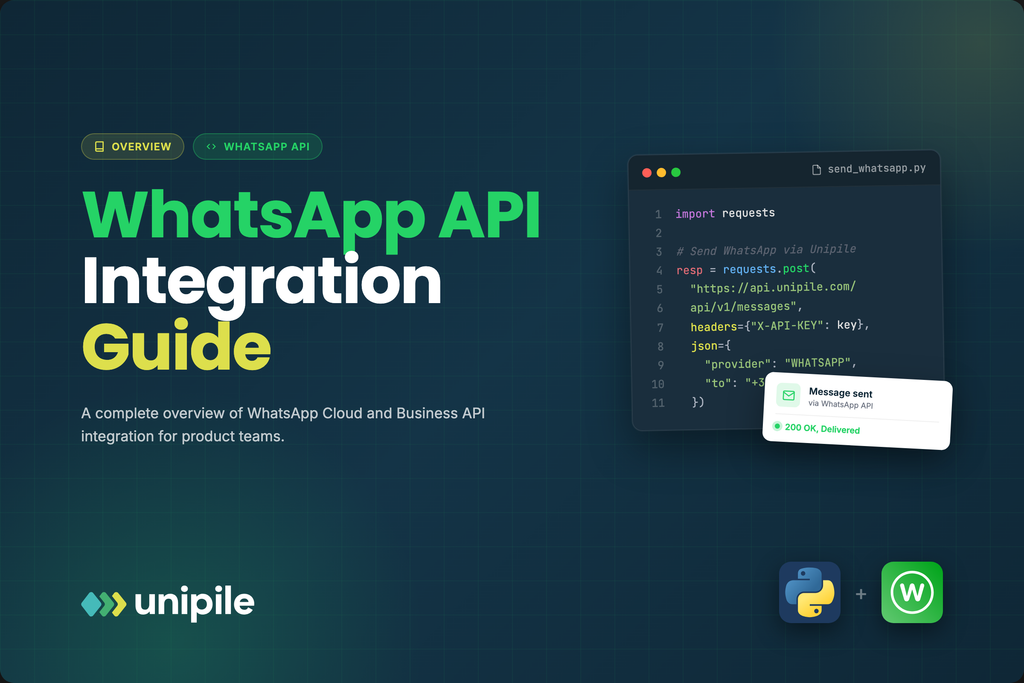
WhatsApp reaches more than two billion people, which makes it tempting to treat “add WhatsApp” as a single line on a roadmap. It is not. Behind the app sits a platform with its own account model, message rules, approval steps, and pricing logic, and the teams that ship cleanly are the ones who understand that shape before they scope the work. This overview is written for product managers and engineers who need the full picture: what the API is, how the pieces fit, and what to decide before writing code.
Introduction
WhatsApp reaches more than two billion people, which makes it tempting to treat “add WhatsApp” as a single line on a roadmap. It is not. Behind the app sits a platform with its own account model, message rules, approval steps, and pricing logic, and the teams that ship cleanly are the ones who understand that shape before they scope the work. This overview is written for product managers and engineers who need the full picture: what the API is, how the pieces fit, and what to decide before writing code.
The consumer WhatsApp app and the WhatsApp platform for businesses are two different things, and conflating them is the first mistake product teams make. Individuals install an app on a phone. Businesses connect through the WhatsApp Business Platform, a set of APIs that let software send and receive messages programmatically under a managed business account. Getting a mental model of that platform, before you argue about frameworks or SDKs, is what keeps a WhatsApp project from stalling halfway through. This overview lays out the moving parts and the decisions attached to each, and for a deeper end-to-end reference this complete guide to the whatsapp api walks the same layers in sequence.
Two ways to connect: Cloud API versus on-premise
For most of the platform’s history there were two delivery models. The on-premise API ran inside infrastructure you hosted yourself, giving fine-grained control at the cost of running and scaling containers, managing your own uptime, and handling upgrades. The Cloud API, hosted directly by Meta, removed that operational burden: Meta runs the servers, applies updates, and exposes a straightforward HTTP interface. Over the last couple of years Meta has steered new integrations toward the Cloud API and wound down the older on-premise option, so for any greenfield project the Cloud API is the realistic starting point. The practical takeaway for a product team is that you no longer need to budget for hosting messaging infrastructure yourself, which changes the build-versus-buy math.
The account model you have to set up
WhatsApp is stricter than most channels about identity, and the account hierarchy reflects that. At the top sits a Meta Business account, which represents your company. Under it lives a WhatsApp Business Account, which owns your messaging assets. Inside that, one or more phone numbers are registered and each carries a display name that Meta reviews. Every layer has a verification or approval step: business verification for the company, a display name check for each number, and a quality rating that Meta assigns based on how recipients react to your messages. None of this is optional, and the review steps take time, so it belongs on the project timeline from the start rather than as a surprise near launch.
Phone numbers and messaging limits
A detail that catches teams off guard is that a number used for the API cannot also be used in the regular WhatsApp or WhatsApp Business consumer app: registering it for the platform is a one-way move. New numbers also start with conservative messaging limits, typically a capped number of unique users you can message in a rolling window, and those limits increase in tiers as your number maintains good quality and volume. For a product plan this means you should not assume you can blast your entire user base on launch day. Ramp is built into the system by design, and planning around the tiers avoids an unpleasant surprise during a big campaign.
The 24-hour window and message templates
The single most important rule to internalize is how WhatsApp separates conversation types. When a user messages you first, a 24-hour window opens during which you can reply with free-form content: text, images, documents, interactive buttons. Outside that window, or to start a conversation the user did not initiate, you cannot send arbitrary text. You must use a pre-approved message template, historically called a Highly Structured Message. Templates are submitted to Meta for review, sorted into categories such as marketing, utility, and authentication, and can include variables so you personalize the content without re-submitting. This design is deliberate: it is how WhatsApp keeps the channel from turning into spam. For product teams it has a direct consequence, which is that any proactive notification, an appointment reminder, a shipping update, a one-time passcode, has to be planned and approved as a template ahead of time, not generated freely at runtime.
Opt-in is a requirement, not a nicety
WhatsApp requires that users explicitly opt in before a business messages them, and Meta enforces this through its policies and the quality-rating system. The opt-in can be collected in many places, a checkbox at signup, a reply to confirm, a form, but it has to be real and recorded. Skipping it does not just risk policy violations; poor recipient reactions drag down your quality rating, which lowers your messaging limits, which throttles the exact use case you built the integration for. Treating consent as a first-class feature rather than a compliance afterthought is what keeps a WhatsApp channel healthy over time.
Receiving messages and staying in sync
Sending is only half the integration. To build anything conversational you need inbound messages and status updates flowing back into your system. On the platform this happens through webhooks: Meta posts events to an endpoint you expose whenever a message arrives, a delivery receipt updates, or a template status changes. Your backend has to accept those events, verify they are genuine, and reconcile them with your own records. This is standard webhook work, but it is where a lot of the real engineering time goes, because you are effectively keeping two systems, yours and WhatsApp’s, in agreement about the state of every conversation.
Product use cases that fit the channel
Understanding the rules makes it obvious which use cases fit naturally.
- Transactional notifications. Order confirmations, shipping updates, appointment reminders, and one-time passcodes map cleanly onto utility and authentication templates. These are high-value because WhatsApp open rates dwarf email.
- Customer support. Because inbound messages open the 24-hour window, support conversations are the least constrained use case: a customer writes in, and your agents or bots can reply freely for a day.
- Re-engagement and updates. Marketing templates let you reach opted-in users with news or offers, subject to category rules and the recipient’s tolerance, which the quality rating tracks.
- Conversational commerce and bots. Interactive messages with buttons and list pickers let you build guided flows, from booking to order tracking, inside the chat.
The common thread is that WhatsApp rewards genuinely useful, wanted messages and structurally punishes noise.
What tends to slip on the timeline
Two things account for most WhatsApp launch delays, and both are review steps you do not control. Business verification can sit in a queue for days, and it gates everything downstream, so it belongs at the very front of the plan rather than in the middle. Template approval is the second: templates get rejected for wording that reads as promotional in a utility slot or for missing context, and each rejection costs a full review cycle. Teams that draft their core templates early and submit them in parallel with the engineering work sidestep the classic trap of finished code sitting idle while it waits on unapproved messages. Neither step is technically hard, but both run on Meta’s clock instead of yours, which is exactly why they should be scheduled as lead-time items and not discovered late.
Where a unified API changes the calculation
For a product team, the honest question is not only how WhatsApp works but whether to integrate it directly or through an abstraction layer. Going direct means managing the account setup, template approvals, webhook plumbing, and Meta’s evolving requirements yourself, for one channel. Many products, though, do not want WhatsApp in isolation. They want WhatsApp alongside email, LinkedIn, Telegram, or Instagram inside a single inbox or CRM. A unified communication API such as Unipile normalizes those channels behind one interface, so your team writes against a consistent message and conversation model instead of learning the specifics of each provider. That does not remove WhatsApp’s rules, the templates, opt-in, and windows still apply, but it removes the per-channel integration tax and lets you add channels without a new project each time. Whether that trade is worth it depends on how many channels your roadmap actually needs.
A pre-build checklist
Before committing sprints, get clear answers on the following:
- Which Meta Business account will own this, and who can complete business verification?
- What phone number will you dedicate, given that the move is one-way?
- Which proactive messages do you need, and can they be expressed as approvable templates?
- Where and how will you capture and store opt-in?
- Who owns the webhook endpoint and the state reconciliation?
- Is WhatsApp a standalone need, or the first of several channels that argue for a unified layer?
Answering those turns a vague “add WhatsApp” ticket into a scoped project with a realistic timeline. WhatsApp is a genuinely powerful channel, with reach and engagement that few others match, but it rewards teams that respect its structure. Understand the account model, the 24-hour window, templates, and opt-in up front, and the integration itself becomes the easy part.

I’m Rajesh Kumar, a DevOps, SRE, DevSecOps, Cloud, and Platform Engineering expert passionate about sharing practical knowledge, real-world experiences, and industry best practices. I have worked at Cotocus and regularly write about technology, travel, investing, health, product reviews, and digital marketing through my various platforms.
I publish technical articles at DevOps School, travel stories at Holiday Landmark, stock market insights at Stocks Mantra, health and fitness guidance at My Medic Plus, product reviews at TrueReviewNow, and SEO and digital marketing strategies at Wizbrand.
Find Trusted Cardiac Hospitals
Compare heart hospitals by city and services — all in one place.
Explore Hospitals
PakarPBN
A Private Blog Network (PBN) is a collection of websites that are controlled by a single individual or organization and used primarily to build backlinks to a “money site” in order to influence its ranking in search engines such as Google. The core idea behind a PBN is based on the importance of backlinks in Google’s ranking algorithm. Since Google views backlinks as signals of authority and trust, some website owners attempt to artificially create these signals through a controlled network of sites.
In a typical PBN setup, the owner acquires expired or aged domains that already have existing authority, backlinks, and history. These domains are rebuilt with new content and hosted separately, often using different IP addresses, hosting providers, themes, and ownership details to make them appear unrelated. Within the content published on these sites, links are strategically placed that point to the main website the owner wants to rank higher. By doing this, the owner attempts to pass link equity (also known as “link juice”) from the PBN sites to the target website.
The purpose of a PBN is to give the impression that the target website is naturally earning links from multiple independent sources. If done effectively, this can temporarily improve keyword rankings, increase organic visibility, and drive more traffic from search results.